


How to activate PRO license
Step 1: Download the PRO version from the My account page. You will also find your license key there.
Step 2: Install and activate the PRO version on your WordPress site. How to install a WordPress plugin from a ZIP file?
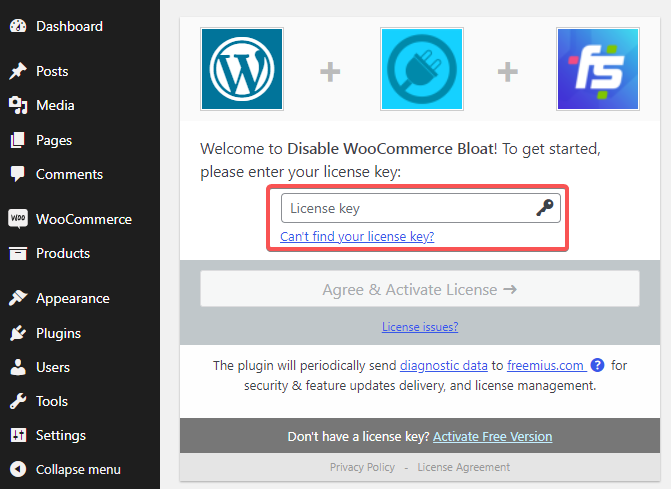
Step 3: Druring the activation, you will be asked to enter your license key. Enter it and click Agree & Activate License:
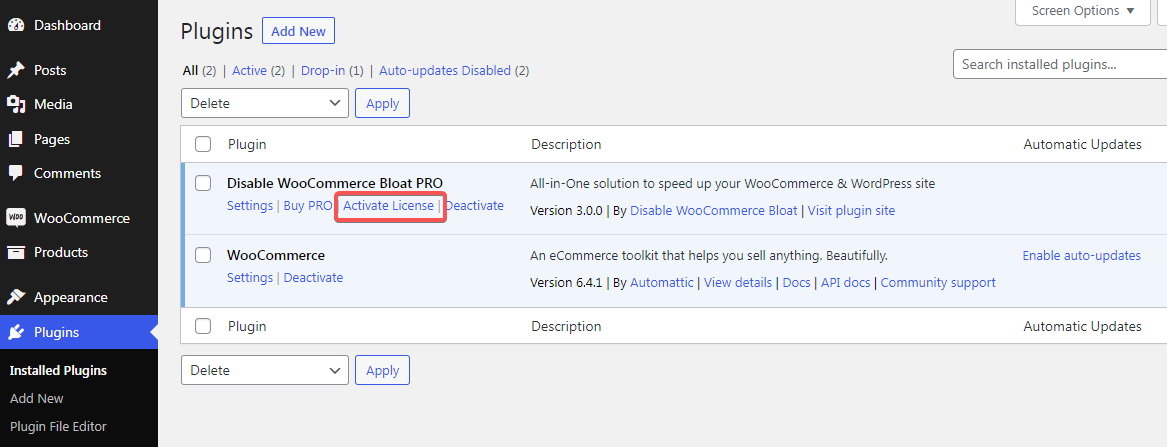
If you didn’t activate the license during the plugin activation, you can always do it by clicking the Activate License link on your Plugins list:
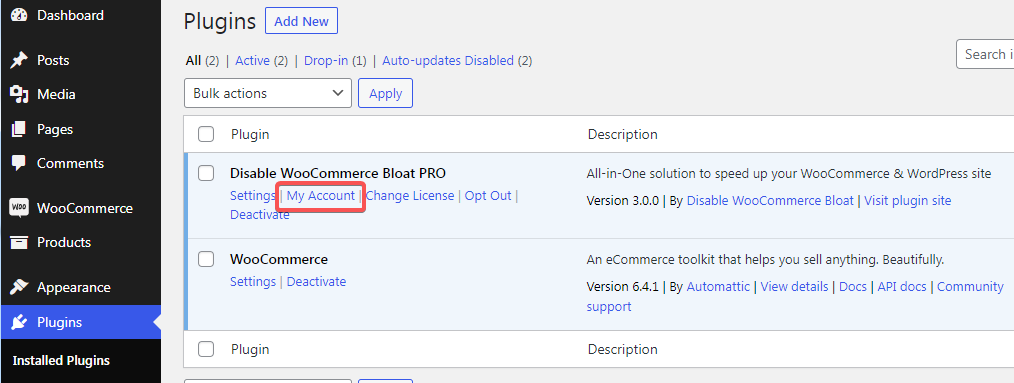
After activating the PRO license, you will be able to check your license details, by navigating to the My Account page in your WordPress panel. The link is visible on the Plugins screen:
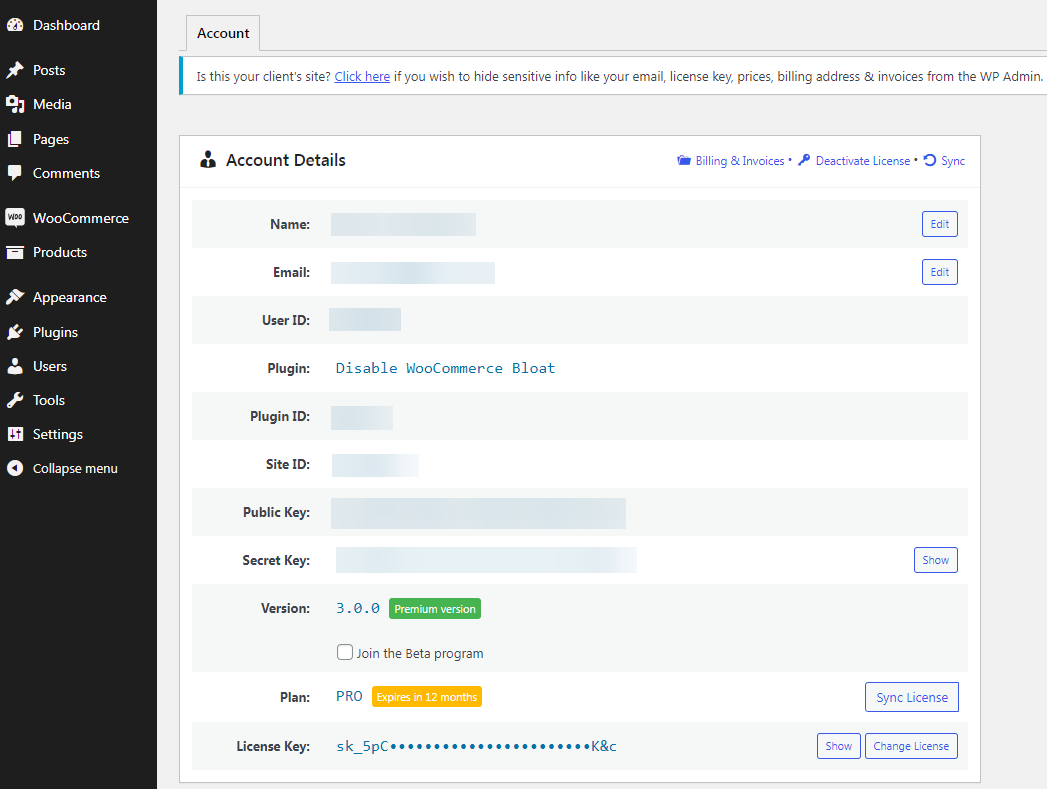
On the My Account page, you will find basic details of your license, including your name, email, and your license expiry:
More docs
- Disable WooCommerce Admin
- Disable Marketing Hub
- Disable WooCommerce.com notice
- Disable WooCommerce Marketplace Suggestions
- Disable Extensions & My Subscriptions submenus
- Disable Recommended shipping solutions metabox
- Disable Recommended payments plugins metabox
- Disable WooCommerce Status Meta Box
- Disable WooCommerce Blocks (back-end)
- Disable WooCommerce Widgets
- Disable WooCommerce scripts and styles
- Disable WooCommerce Cart Fragments
- Disable WooCommerce Blocks (front-end)
- Disable unnecessary Stripe scripts
- Hide update notice for non-admin users
- Disable WordPress Dashboard widgets
- Remove the WordPress logo from the admin bar
- Remove admin footer text
- Hide standard WordPress Logo from Login Page
- Change the Logo Link on the WordPress Login Page
- Change the Logo title parameter on the WordPress Login Page
- Disable WordPress Login Language Switcher
- Disable Password Strength Meter
- Load Comments script only when needed
- Prevent auto-linking URLs in comments
- Remove DNS prefetch to s.w.org
- Disable Sidebar WordPress Widgets
- Remove WordPress & WooCommerce Meta Generator Tag
- Remove emoji styles and scripts
- Remove RSS Feed Links
- Remove the Generator Tag From RSS Feeds
- Remove Link to the Windows Live Writer Manifest File
- Remove RSD link
- Remove Shortlink From HTTP Header
- Remove Jetpack installation notice
- Disable Jetpack promotions
- Disable the Elementor Dashboard widget
- Disable SkyVerge Dashboard
- Yoast SEO: Disable Ads, Premium nags, Premium menu
- Yoast SEO: Disable Yoast SEO Admin bar item
- Yoast SEO: Remove Yoast HTML Comments from the Front-end
- Yoast SEO: Remove Yoast SEO Dashboard widget
- Disable Contact Form 7 JavaScript and CSS
- Hide “UpdraftPlus” on admin toolbar
- Hide Advanced Custom Fields admin menu
- Remove WPML Meta Generator Tag
Get 50% off on Easy Popups


 Buy now